Set the scope
Choose the property name, start date, two-week or 30-day length, and the Instagram, Facebook, or LinkedIn channels you use. Pick at least three topics to keep the calendar varied.
Build an editable 14-day or 30-day property content calendar with useful prompts, caption starters, image direction, and alt text.
Your setup choices are sent to the planning service to build your guest plan; the public generator does not save the plan. Edits remain in this browser session, so export your work before leaving. The separate access form connects this resource request to your CRM record.
Use your work email. If you have used another resource, we will ask for only one new detail.
Turn a start date, channel choices, goal, and topic mix into an editable 14-day or 30-day plan. Use the prompts and caption starters as a working draft, then replace placeholders with verified property information.
Choose the property name, start date, two-week or 30-day length, and the Instagram, Facebook, or LinkedIn channels you use. Pick at least three topics to keep the calendar varied.
Review dates, post ideas, captions, calls to action, image direction, and alt text. Add only facts, photos, permissions, and links your team has verified. The planner does not look up availability, pricing, policies, or local claims for you.
Complete the review checklist before copying a post, downloading the CSV, or printing the plan. Transfer approved content into your team's existing publishing workflow; the planner does not post to social accounts.
For a fictional community planning a resident welcome event, a calendar task could ask the team to confirm the date and location, photograph the approved setup, and replace the caption placeholders with those details. Image direction and alt text remain drafts until the real image is available. The output is a content plan, not an automatically published post or a forecast of engagement.
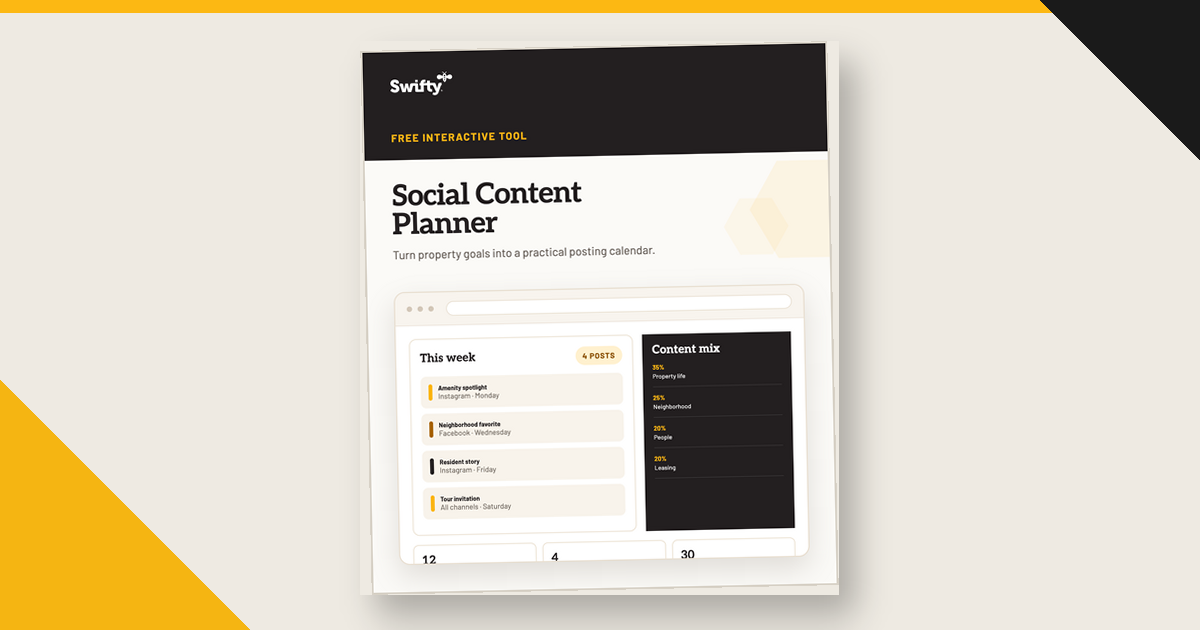
This illustrative week is a planning example for a fictional apartment community, not a generated output or a required daily posting schedule. Choose only tasks that fit your actual community and audience. Verify facts, links, fair housing requirements, photo permissions and accessibility before your team approves any post. No engagement or leasing result is promised.
Draft an Instagram or Facebook post showing an approved photo of your clubhouse or another actual amenity. Caption prompt: What can residents use this space for? Confirm access hours and rules; do not invent features. Write alt text from the final image, not from this prompt.
Prepare a short answer to a question your leasing team actually receives. Link to the current page that answers it. Check every policy, price and availability statement with the approved source before posting; leave out unverified claims.
If an event is approved, draft the invitation with its verified date, location, RSVP route and accommodation contact. Use a photo of the actual setup or clearly labeled artwork, not an image implying an event already happened. If no event is confirmed, keep this as a draft.
Choose a nearby place or service your team has checked. Confirm its name, public link and current information. Avoid unsupported travel-time, safety, school-quality or neighborhood-demographic claims. Get permission for any third-party photography.
Draft a practical reminder based on the property's current guidance, such as where to find maintenance request instructions. Keep private account details and resident information out of the post. Link to the correct public instructions if available.
If the confirmed event has taken place, select photos with the required permissions and describe only what actually happened. Do not invent attendance, testimonials or results. Without approved photos or a completed event, use the time to prepare next week's assets instead.
Check the draft calendar for accurate dates, working links, accessible image descriptions and a useful topic mix. Confirm who approves each post and who publishes it. Review available performance data without treating likes or views as proof of leases.
Yes. Choose 30 days, your start date, channels, goal, and at least three topics. A two-week option is also available.
The CSV includes dates, channels, topics, post ideas, caption starters, calls to action, links, hashtags, image direction, and alt text. Review and verify the content before export.
No. It supplies planning prompts and editable copy, including image direction. It does not create the final images, connect your social accounts, or publish posts.
No. The planner uses the choices you supply to create a structured draft. Your team provides verified property facts and judges what is appropriate. It makes no promise about leads, engagement, or renewals.